A Multi-Agent Framework for Automated Data Analysis
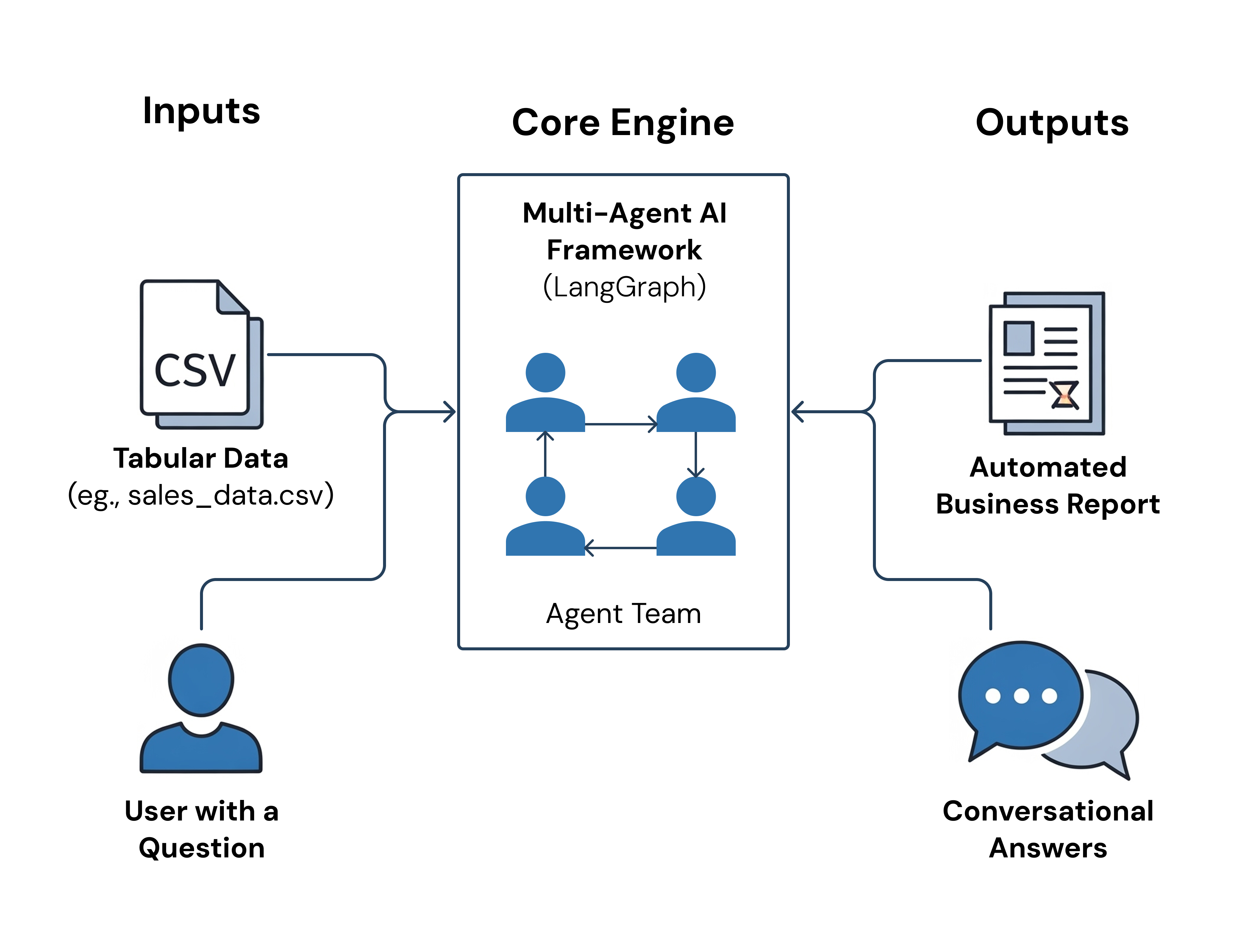
I engineered a stateful "team" of AI agents using LangGraph that automates exploratory data analysis and enables interactive, conversational querying of tabular data.
1. The Problem: Moving Beyond Stateless LLMs
Standard data analysis is a manual, iterative process. While single-prompt interactions with LLMs are powerful for one-off tasks, they are fundamentally stateless. They lack the memory and collaborative reasoning needed for deep, sequential data exploration. My challenge was to design a system that could mimic a team of data experts working together on a dataset—exploring, summarizing, and then answering questions with full, persistent context.
2. The Solution: A Stateful Team of AI Agents with LangGraph
To solve this, I engineered a multi-agent framework using LangGraph, a library for building stateful, cyclical applications. This approach allowed me to create a graph where each node is a specialized agent. The system coordinates four agents—a Data Scientist, Python Expert, Data Analyst, and Customer Engineer—that work together in two distinct, coordinated flows, passing state and context between them at each step.
3. How It Works: The Two Core Flows
Flow 1: Automated Insight Generation
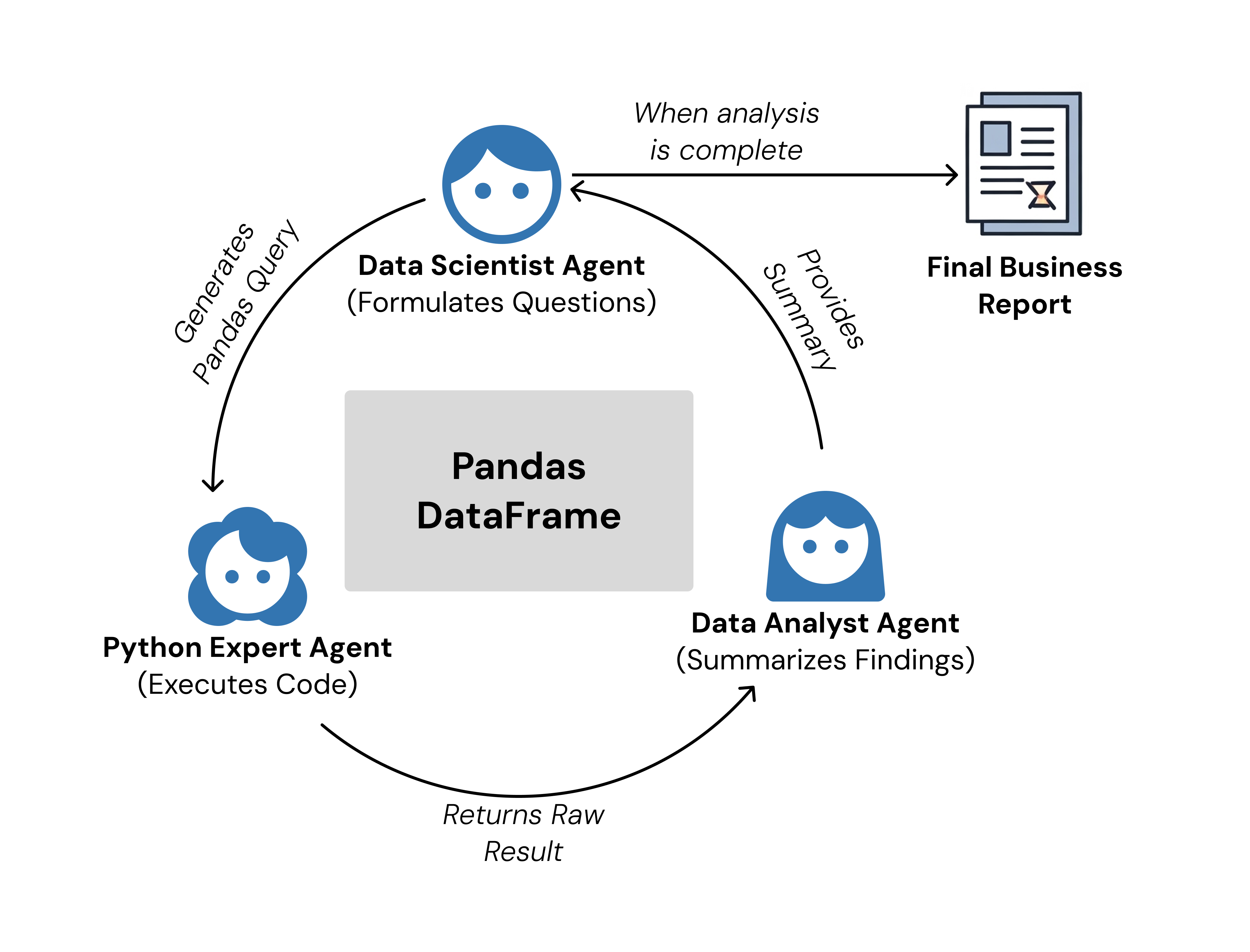
The first flow is a fully autonomous loop where the AI agents perform exploratory data analysis. The Data Scientist agent formulates a hypothesis, the Python Expert executes the code, and the Data Analyst summarizes the result. This cycle repeats, with each agent building on the previous findings until a comprehensive business report is generated.
Flow 2: Interactive Q&A
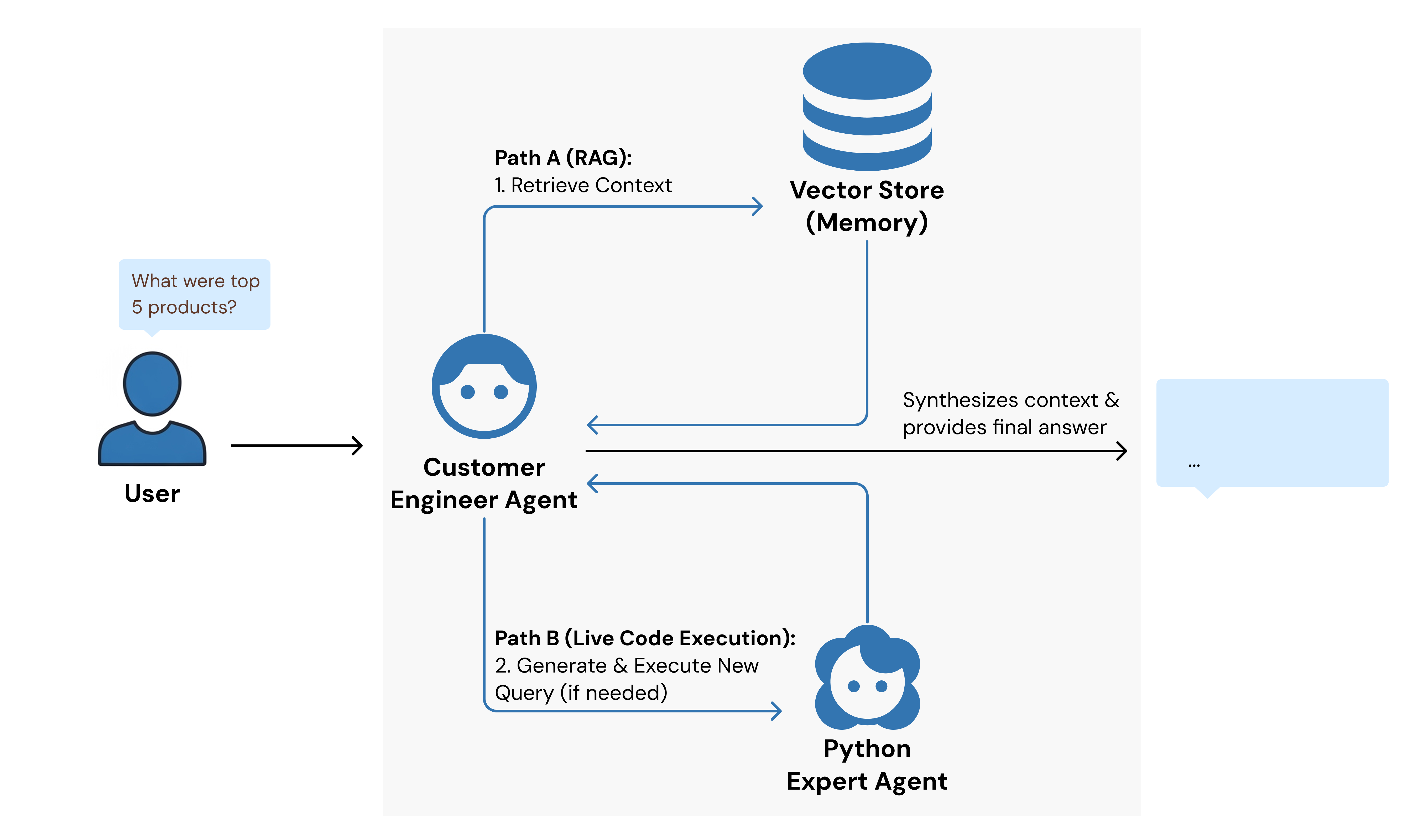
Once the initial analysis is complete, the system switches to an interactive mode. The Customer Engineer agent takes over, using a knowledge base built in the first flow to answer user questions. If the answer requires new computation, it calls on the Python Expert, providing a seamless, conversational way to query the dataset.
4. The Technical Core: Stateful Memory with RAG
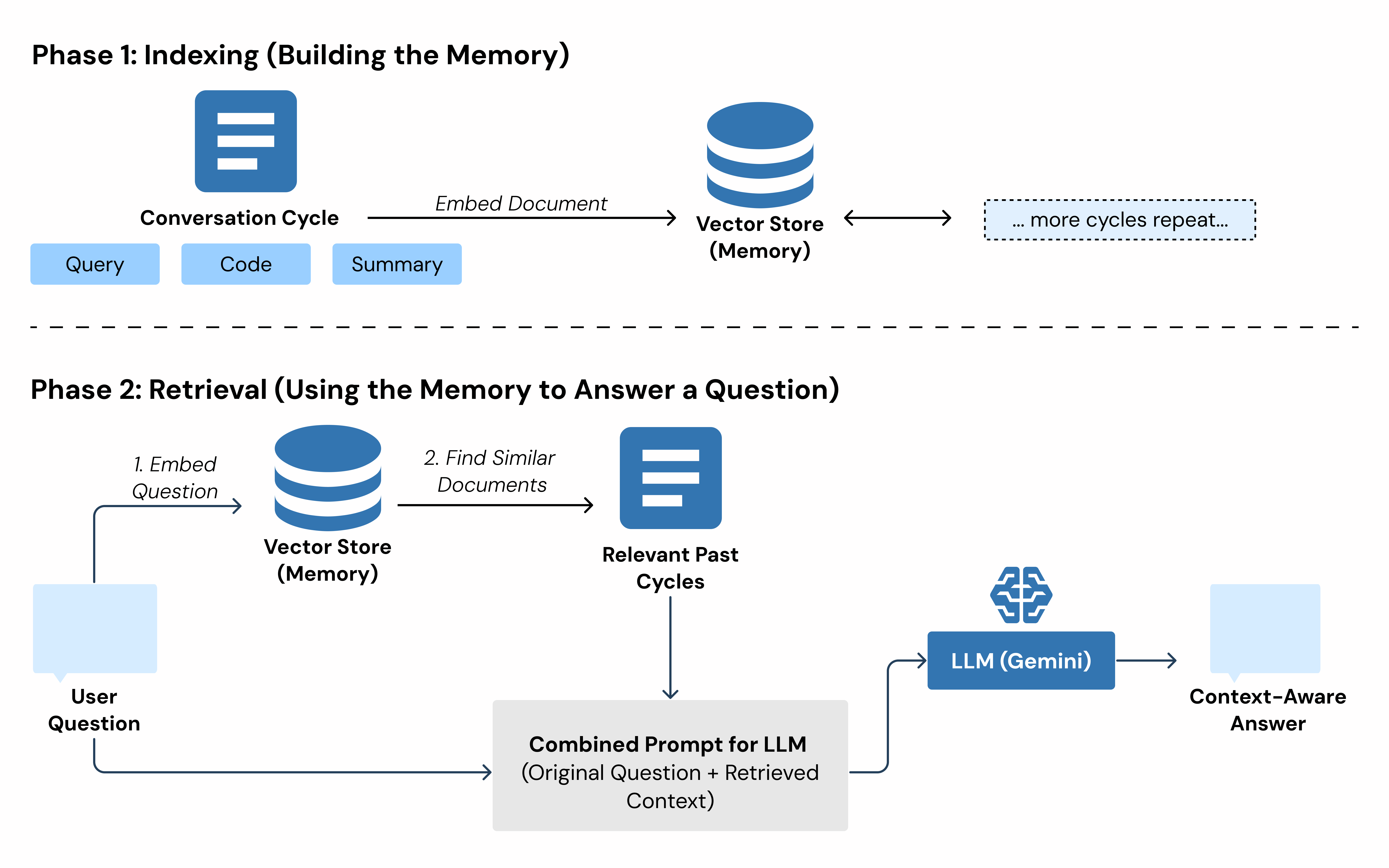
To manage context and ensure the agents have a persistent "memory" without overflowing the LLM's context window, I implemented Retrieval Augmented Generation (RAG). Each completed analysis cycle from the first flow is converted into a document and stored in an in-memory vector store. When a user asks a question, the Customer Engineer agent first retrieves the most relevant past interactions. This provides deep, historical context for generating smarter, more accurate answers.